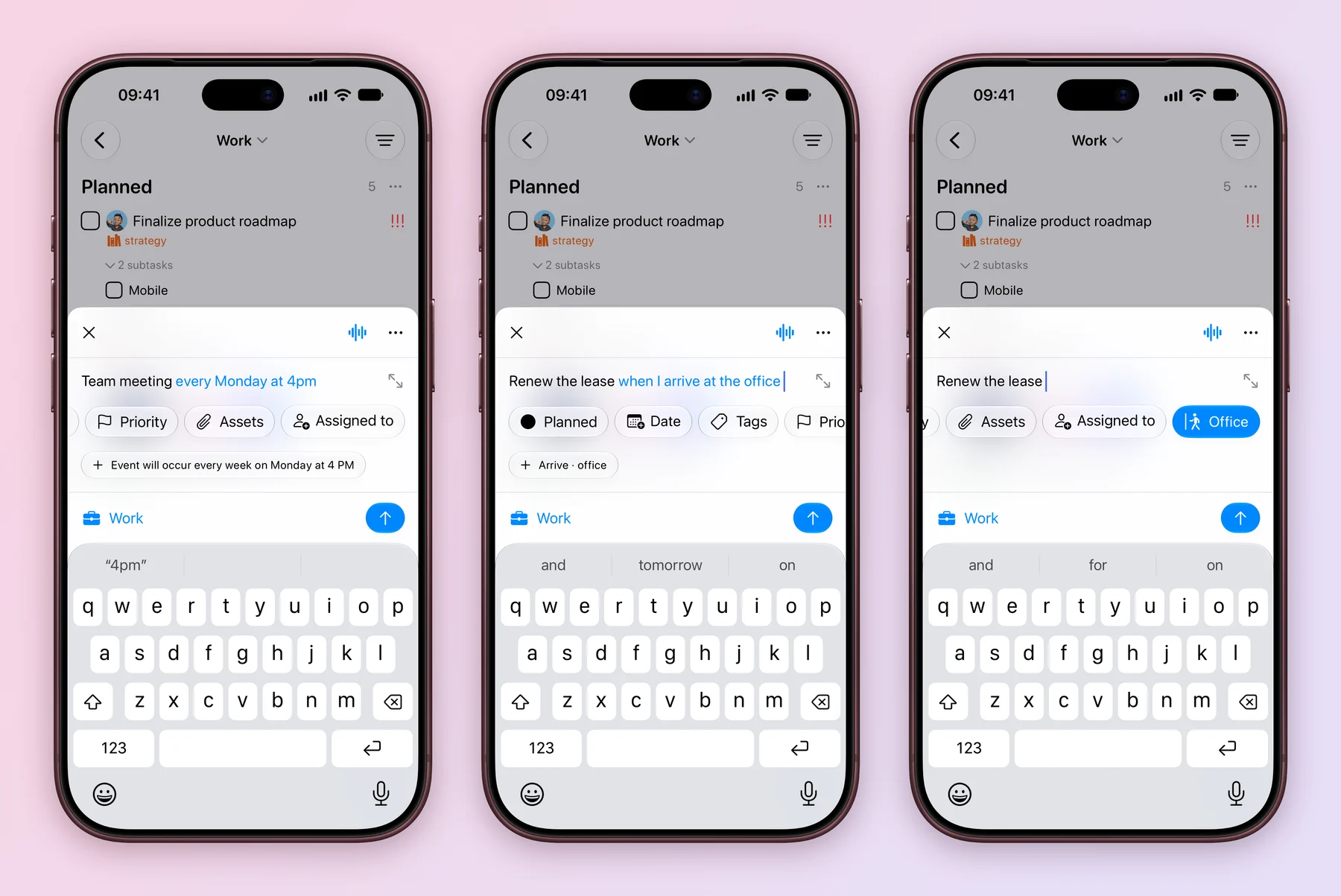
Type Team meeting every Monday at 4pm and Tasks offers to turn it into a weekly repeat at 4 PM, leaving a clean title. No menus, no pickers.
Type it the way you would say it
- Open Create Task and type the whole thought in the title.
- Tasks highlights the parts it understood and shows each one as a chip with a + under the title.
- Tap a chip to apply it. The phrase moves out of the title and into the right field.
- Save as usual.
Nothing is applied until you tap its chip, so a title like Read John 3:16 stays exactly as you wrote it.
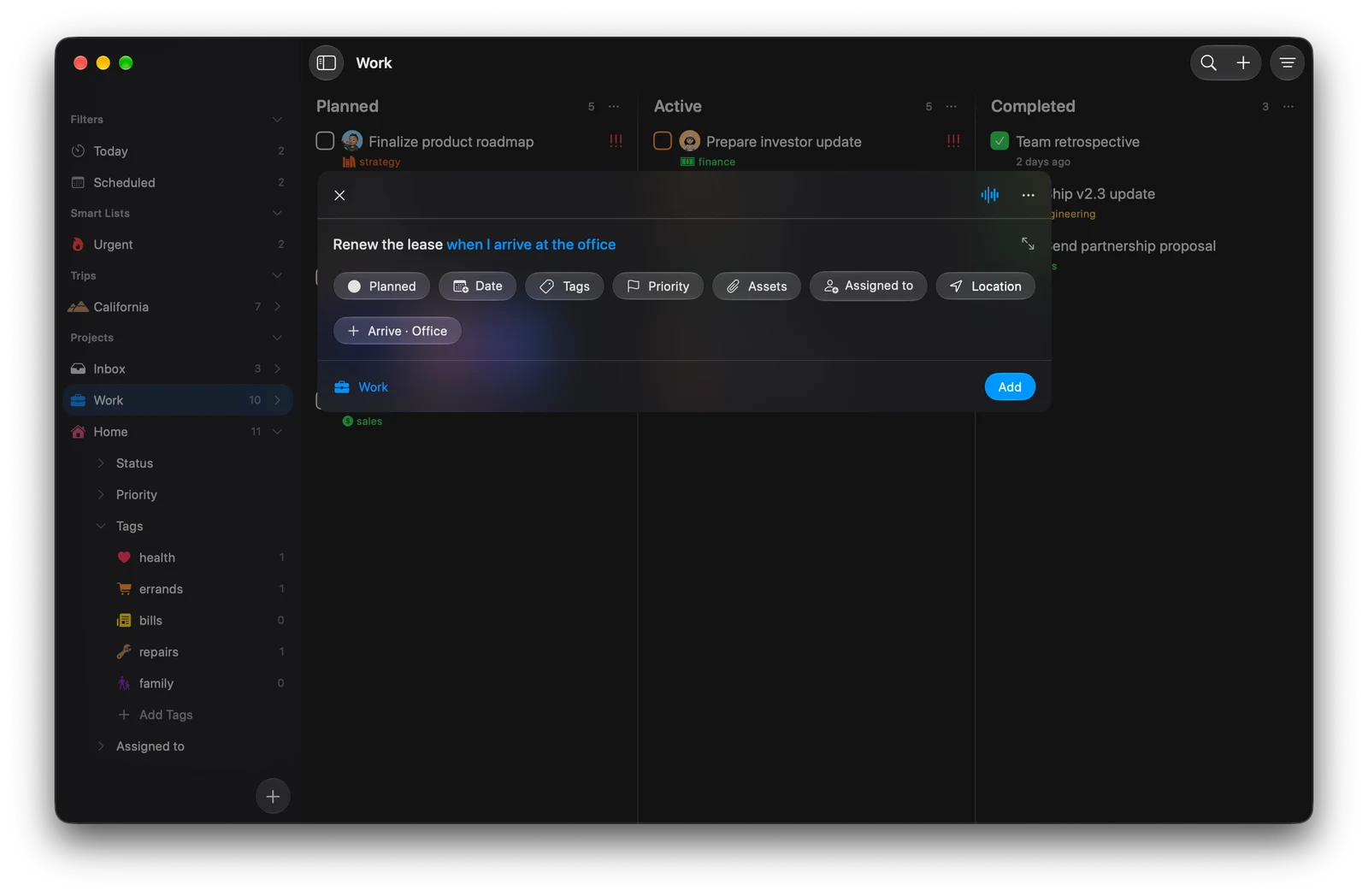
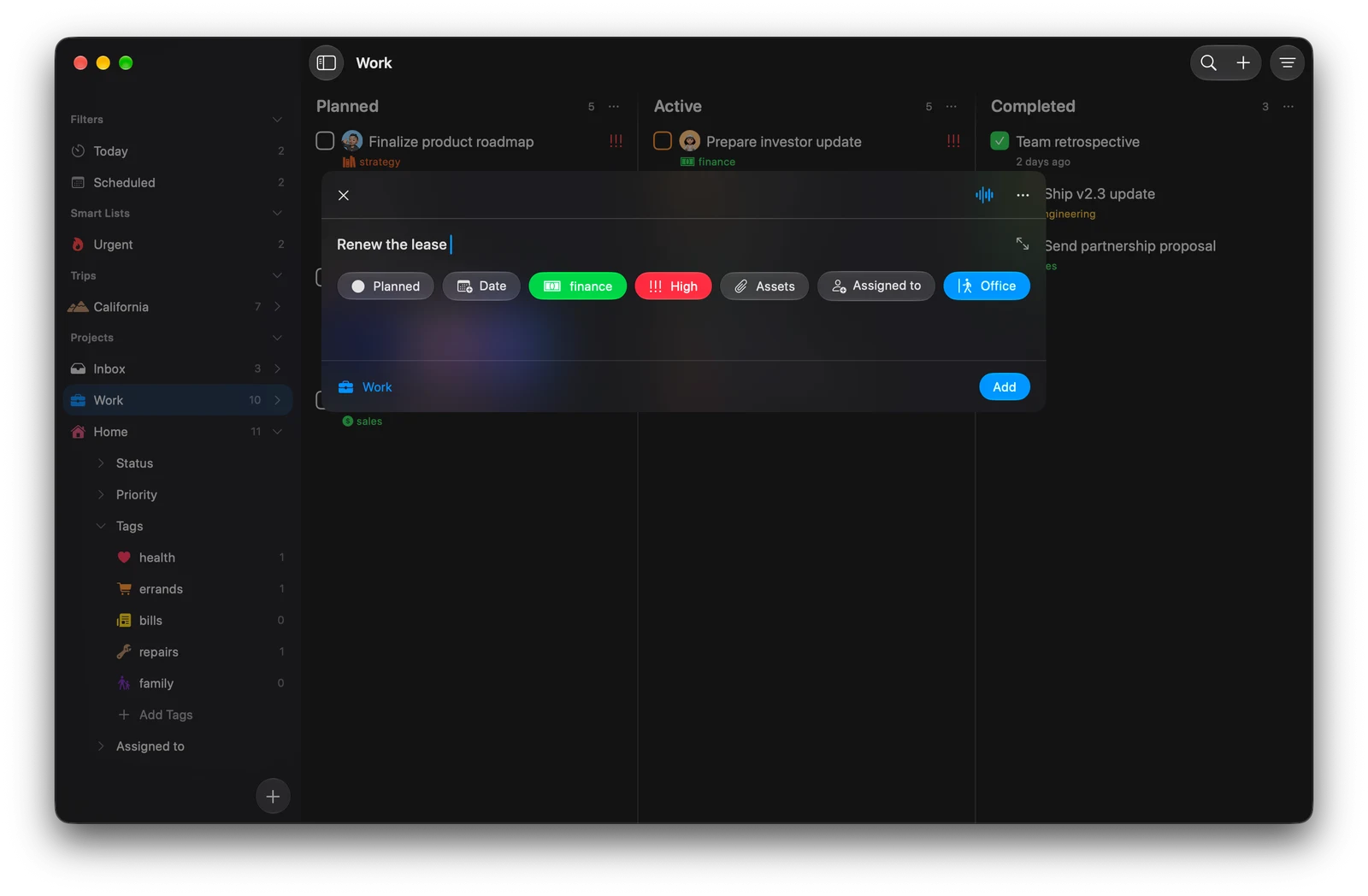
Press ⌘N, type the task, then click the chips under the title. It works the same way in the Add Anywhere window.
Phrases Tasks understands
| Detail | Try typing |
|---|---|
| Date and time | today, tomorrow at 9, next Friday, in 3 days, this weekend, end of month, March 14 at 5:30pm |
| Duration | for 30 minutes, for 2 hours |
| Repeat | every day, every weekday, every other Friday, every Monday and Wednesday, monthly on the 15th, every July 4th |
| Priority | p1 to p4, !!!, !!, high priority, low priority, urgent at the start or end |
| Place | when I arrive at the office, when I leave the gym |
| Tag | any tag you already have, with or without #, such as #sales |
It also reads French, German and Spanish: Appeler demain à 9h30, Alex nächsten Freitag anrufen or Cena esta noche.
Tags and priorities only match what the project already has. A place you have not saved opens the location picker already searched for you.
Jump to a project, person or tag
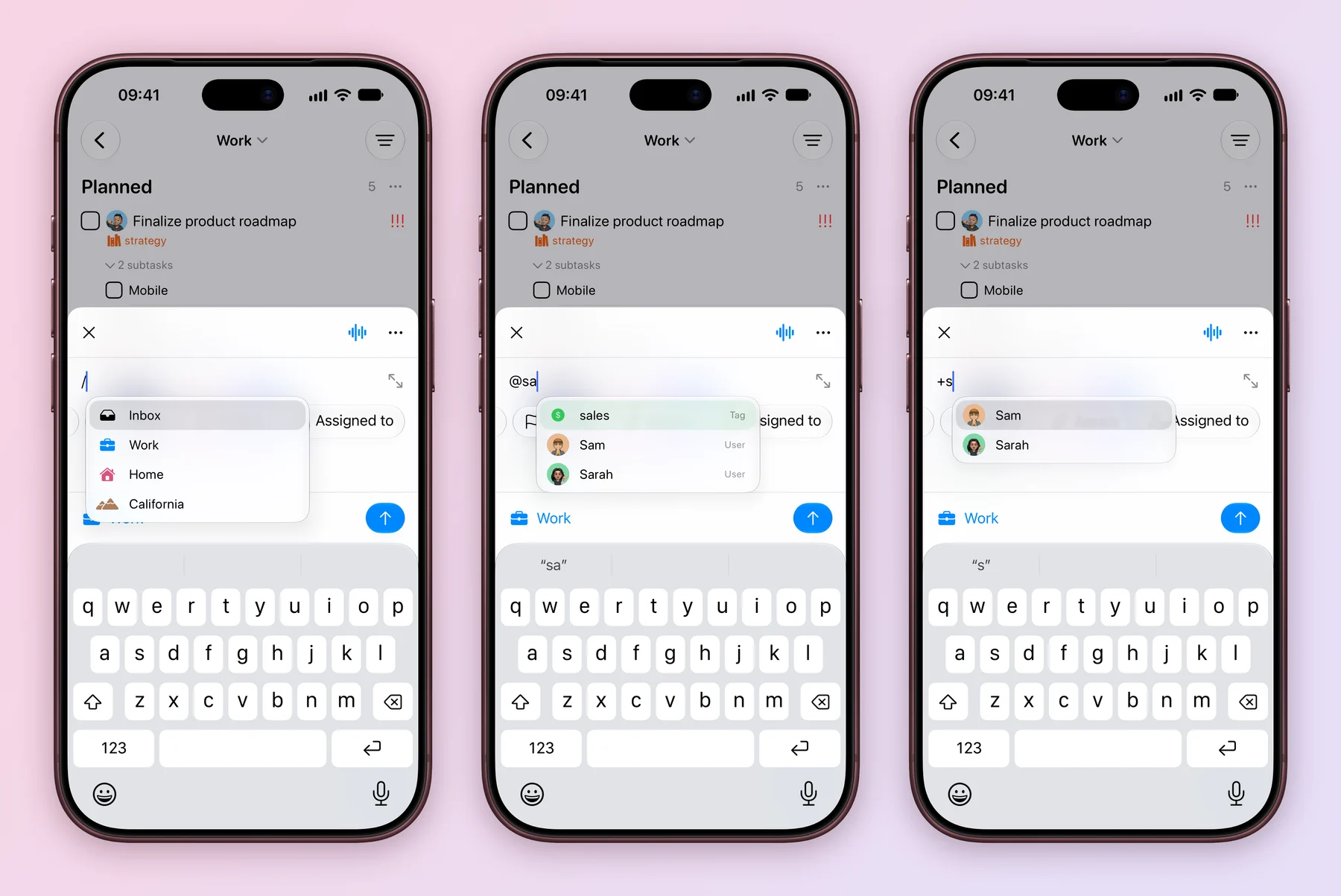
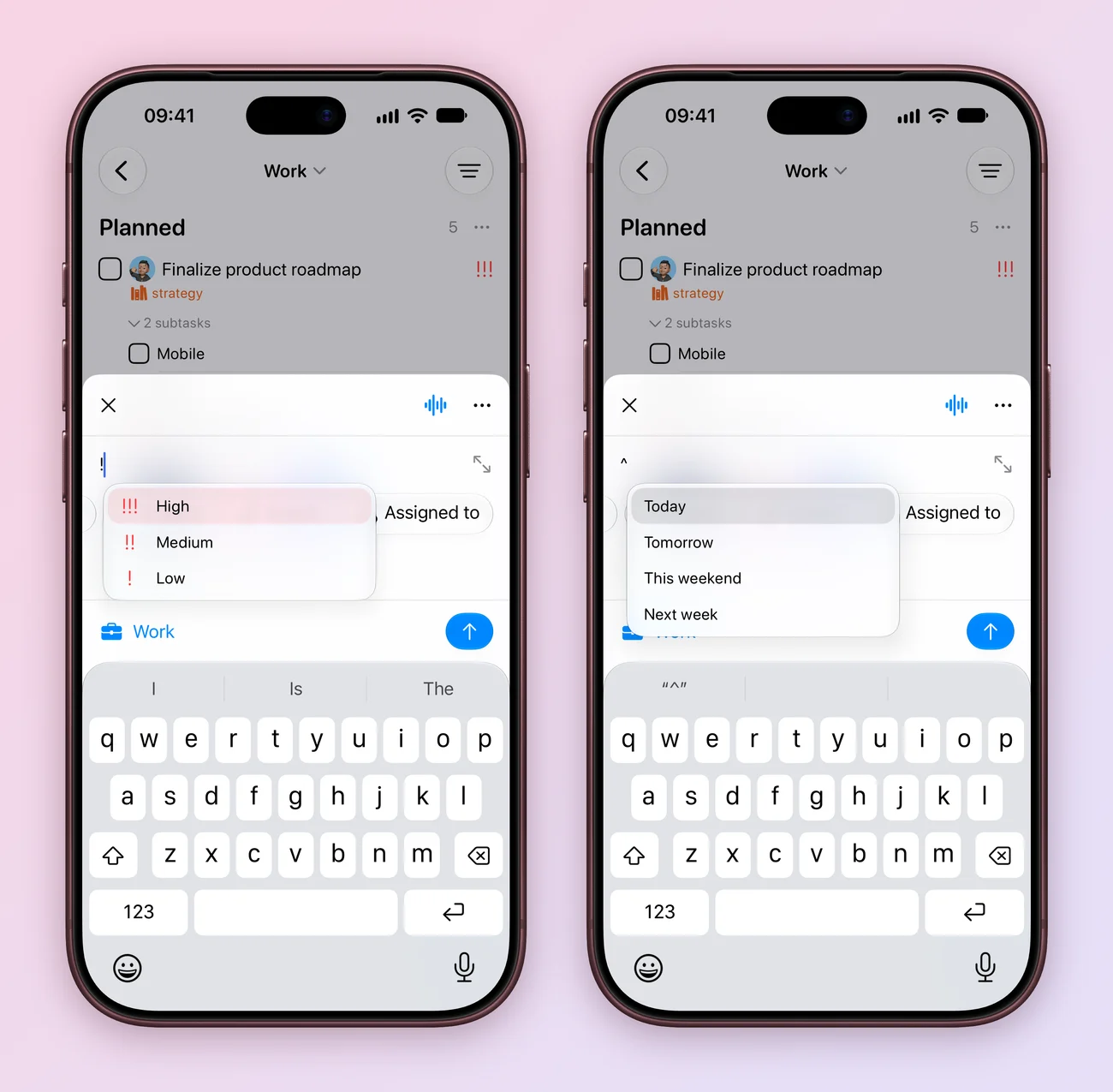
Type a symbol in the title to pick from a list without leaving the keyboard.
| Type | To choose |
|---|---|
| / | A project. The draft moves to that project. |
| @ | Anything: tags, priorities, statuses, task types, people, assistants and projects |
| + | A person or assistant to assign |
| ! | A priority |
| ^ | Today, Tomorrow, This weekend or Next week |
Keep typing to filter the list. Use the arrow keys and Return or Tab to pick, or Esc to close it. The + list needs an Assigned to field in the project, and ^ needs a date field.
Or just say it
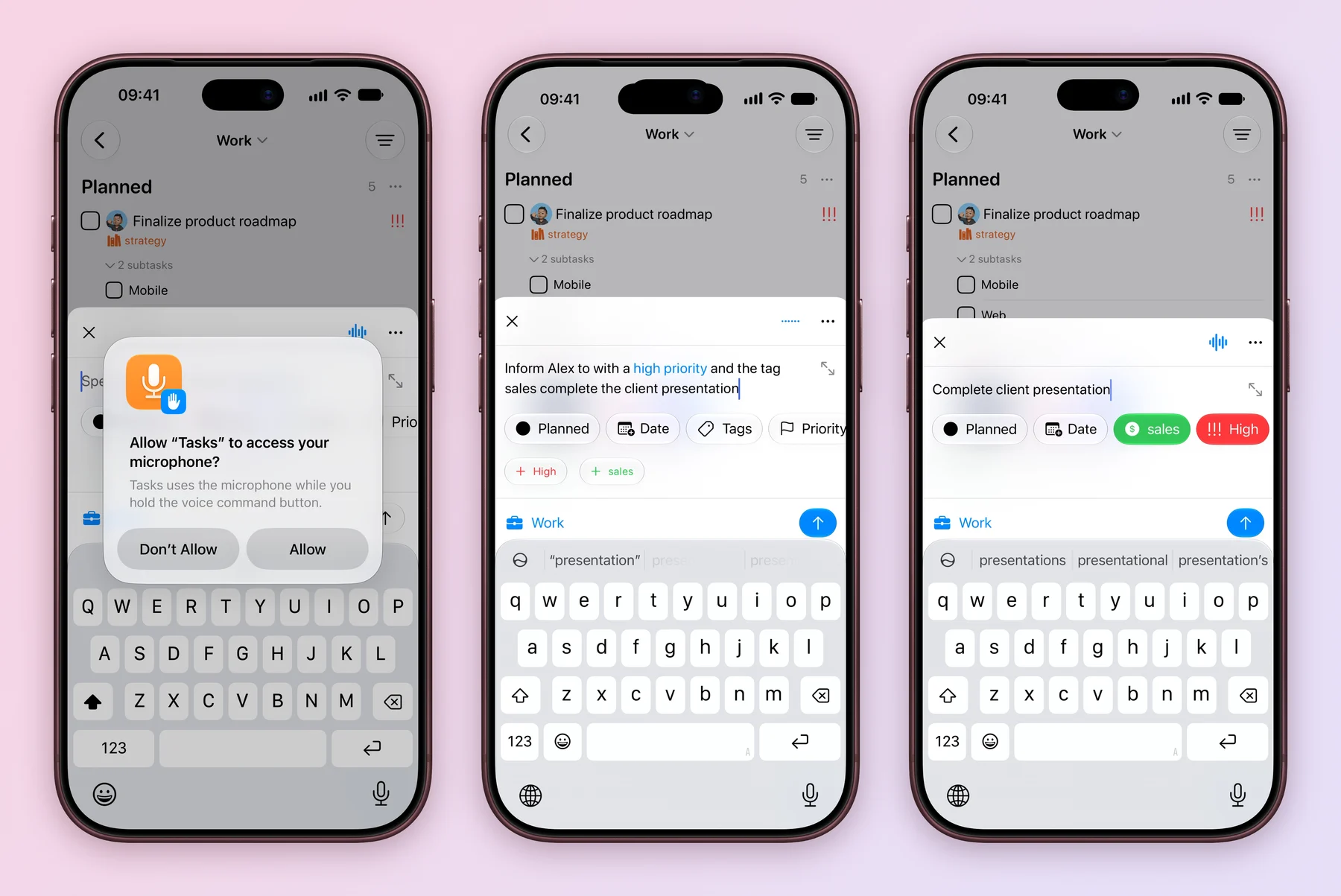
Tap the waveform button in Create Task and talk. The first time, allow Tasks to use the microphone. Your words appear as you speak. Pause, or tap again, and Tasks writes a short title and fills in the fields you mentioned.
- Say the task: Complete the client presentation, high priority, with the tag sales.
- To change the draft, tap the button again and say what to change, such as Make it due Friday.
- Check the draft, then save. Nothing is added until you do.
Voice works on one task at a time and never makes up people, statuses or tags. A tag you name that does not exist yet is offered as a new tag.
Voice needs iOS 27 and Apple Intelligence turned on. Tasks uses Apple’s Private Cloud Compute first and falls back to the model on your iPhone.
Click the waveform button in the Create Task window. Voice needs macOS 27 and Apple Intelligence turned on, and it runs entirely on your Mac.
Try it with your next errand, then see how repeats work in Recurring tasks and reminders.
Explore all 10 related features
Browse the related features below for more detail, or search every feature.
Natural language
Spots dates, repeats, priorities, places and tags while you type the title.
Dates and times in words
Understands phrases such as tomorrow at 5pm, next Friday or in 3 days.
Repeats in words
Turns phrases such as every other Friday or monthly on the 15th into a repeat rule.
Priority in words
Recognises p1 to p4, !!! and phrases such as high priority.
Places in words
Suggests an arrive or leave reminder from phrases such as when I arrive at the gym.
Tags in words
Matches existing tag names, with or without a # in front.
Four languages
Reads English, French, German and Spanish phrases.
Title commands
Type / for a project, @ for anything, ! for priority, + for a person and ^ for a date.
Voice in Create Task
Say the task and Apple Intelligence fills in the title and fields.
Edit by voice
Keep talking to change the draft, such as add the tag Work or move it to Friday.