What’s new
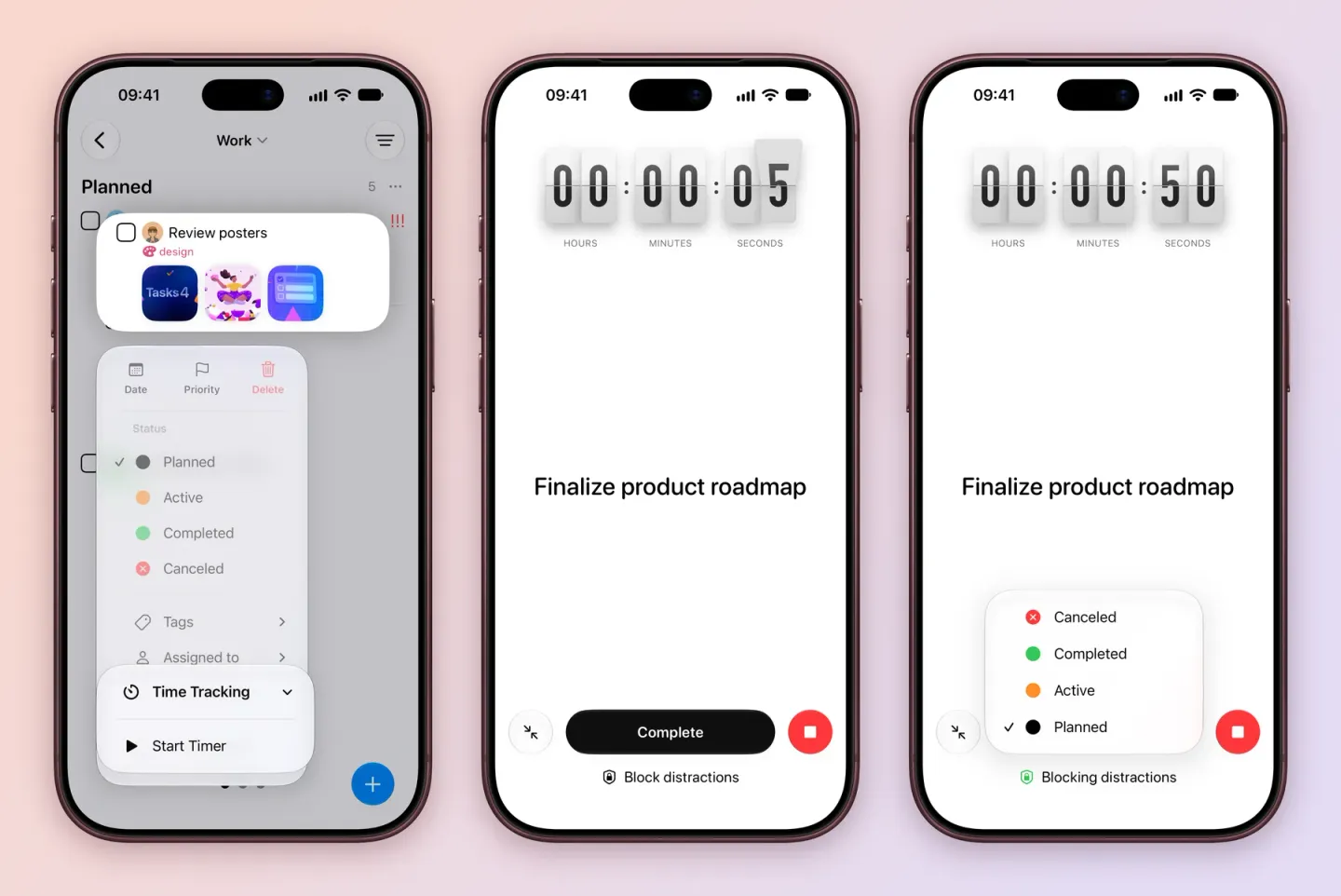
- Time tracking. Start a timer on any task, or add a session by hand afterwards. The timer shows on the Lock Screen and in the Dynamic Island, and a Time Tracking field shows each task’s total. Track your time.
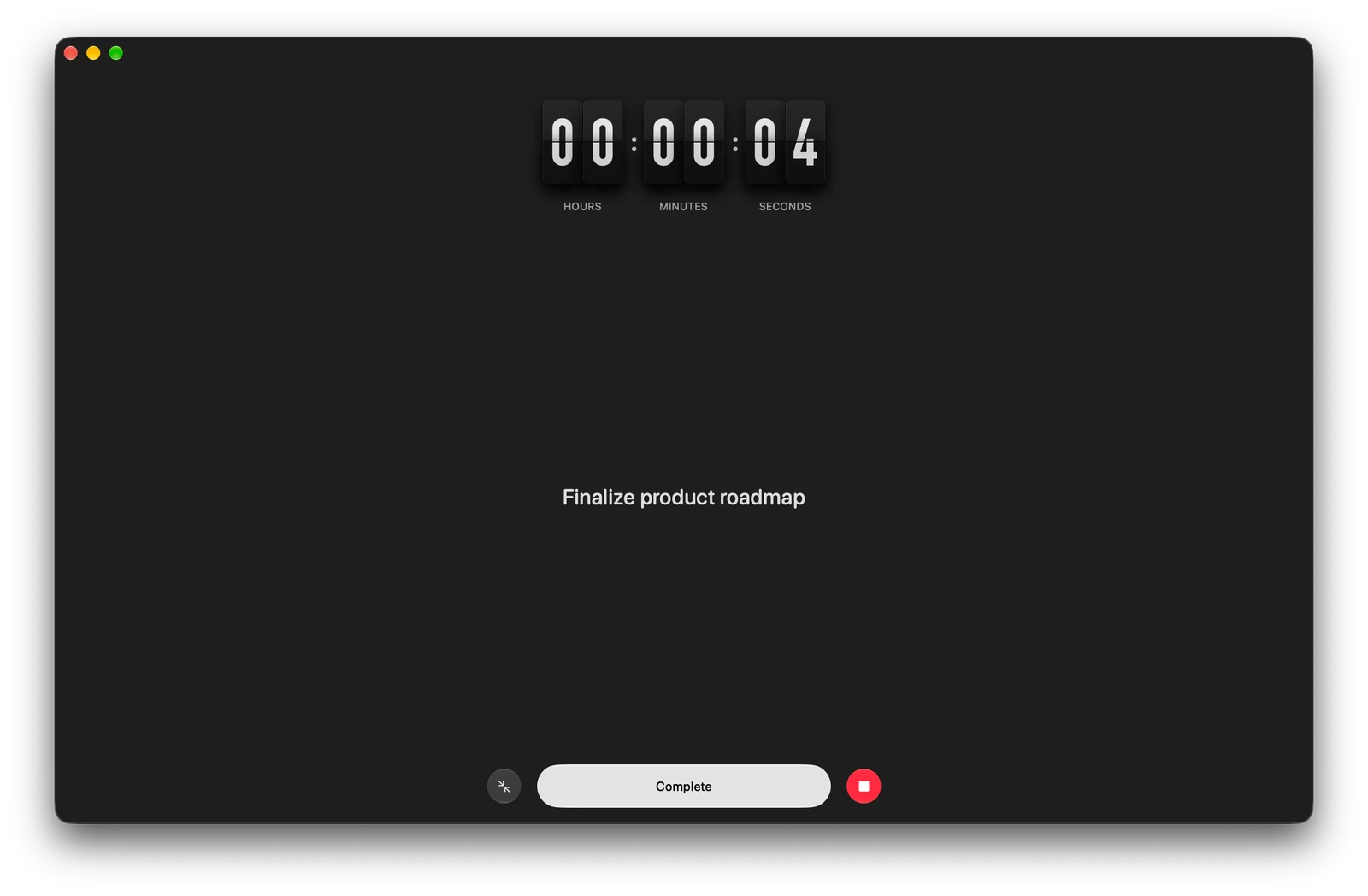
- Focus view. One task, a big timer and nothing else. On iPhone and iPad it can block the apps and websites you pick until you stop the timer. On Mac there’s a flip-clock timer.
- Siri on iOS 27 and macOS 27. Ask Siri about the tasks and projects on your screen. Quick Create turns one sentence into tasks you review before they’re added, and every action is in Shortcuts. See what Siri can do.
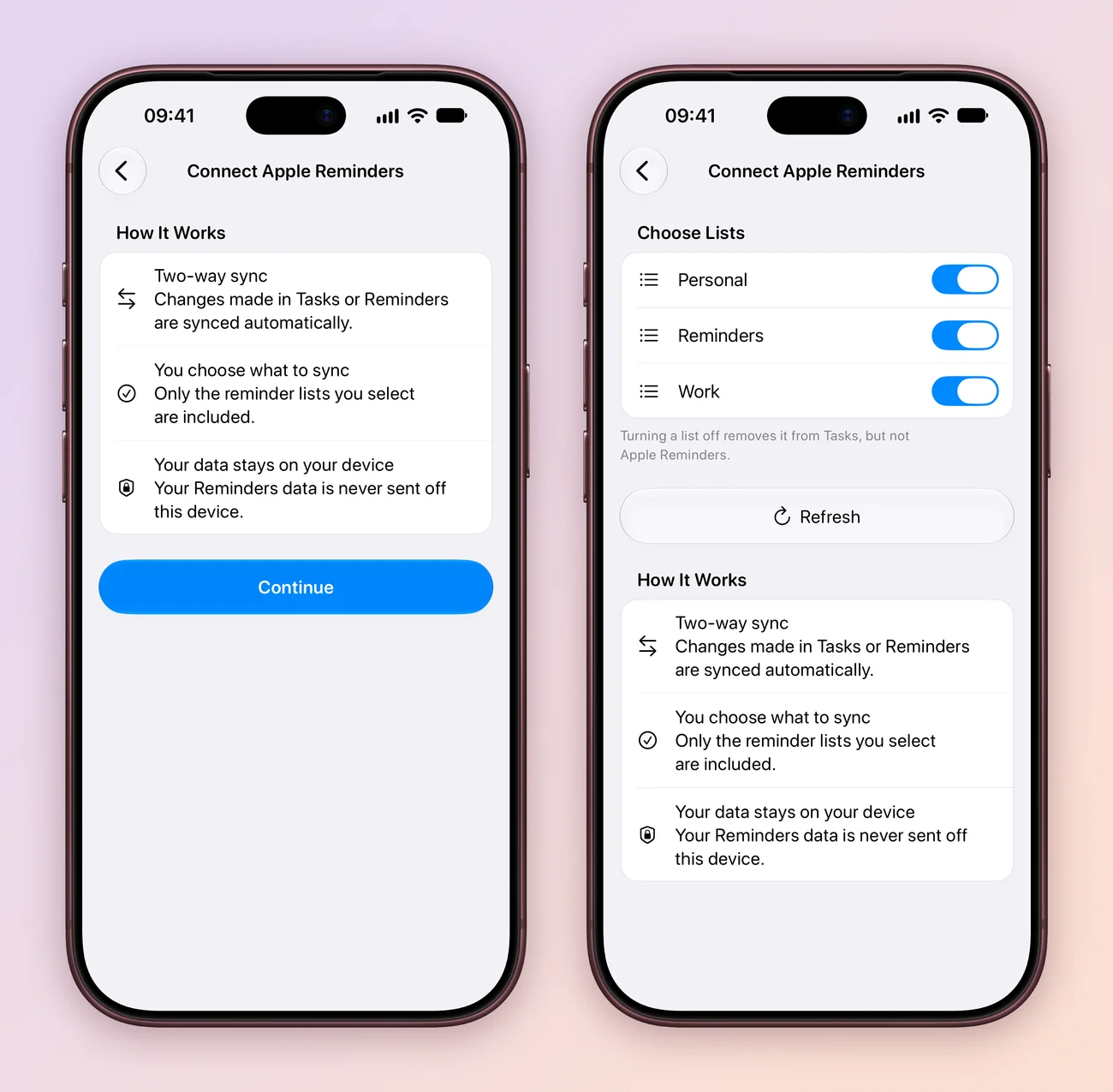
- Apple Reminders, both ways. Pick the Reminders lists you want in Tasks and changes sync in both directions, on your device. Connect Reminders.
- Location reminders. Get reminded when you arrive at or leave a place. Timed tasks can also ring as an alarm with Stop and Snooze. Set a reminder.
- Plain words. Type “team meeting every Monday at 4pm” and Tasks offers the repeat. On Mac, pick the project, tags, priority and assignee from the keyboard. Type a task.
- Keyboard shortcuts for changing the tags, assignee, priority and status of the selected task. All shortcuts.
- Markdown in titles, notes and comments: headings, lists, links and code blocks.
- Simpler project setup. Name it, pick statuses, often from a template, and choose only the fields you need, including the new Location and Time Tracking fields. Set up a project.
- Clearer boards. Subtasks are easier to follow, tasks can be marked canceled, and a filtered board can be saved as a Smart List. Views and Smart Lists.
- Mac menu bar. Add a task, open a project or Smart List, and check or stop your timer from any app.
- Extra-large portrait widgets on iOS 27, better PDF exports, better VoiceOver and Reduce Motion support, and fixes for search, ordering, reminders, sync, Siri, drag and drop and comments.
What’s new in 5.1
- Task Settings. Show a date or a live countdown on task cards, with a preview.
- Activity. See when a task was created and when it last changed.
- Duplicate a task with or without its comments.
- Subtasks. Add the first one in one tap and drag to reorder them inside the task.
- Voice input shows your words as you speak.
- Widgets. Changes from widgets and extensions show up in Tasks right away.
- Speed. Links and attachments load in the background, and busy lists scroll more smoothly.
- Notifications. Clearer notification and badge settings, and tidier titles in Live Activities.
- The Mac menu bar app can be hidden in Settings.
The launch post has the story behind each of these, with screenshots.