5.4 brings the thing people have asked me for more than anything else, undo, and a lot for the Mac: a command line tool for you and your AI agents, and every screen within reach of the keyboard.
What’s new
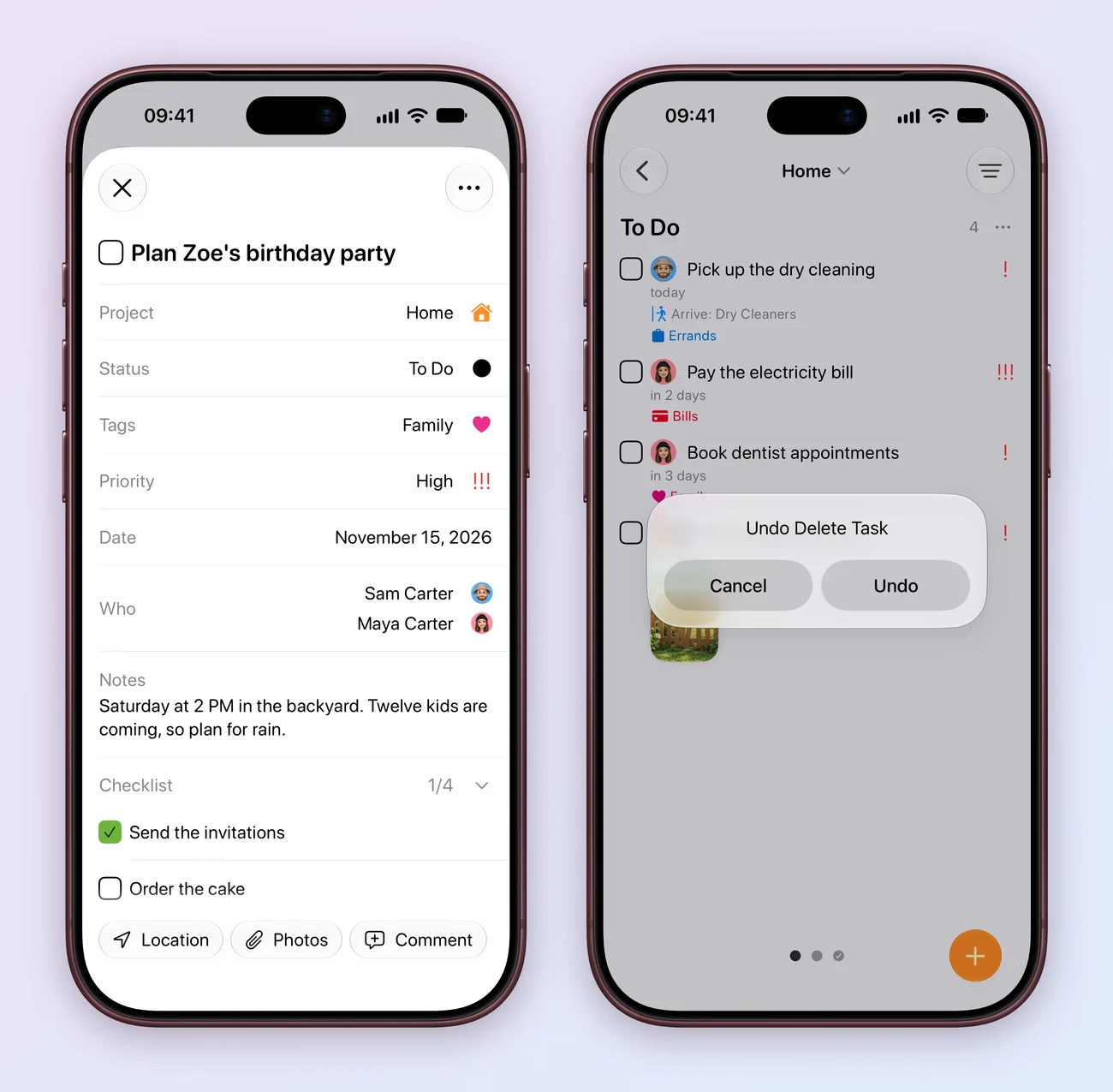
- Undo and redo. Press ⌘Z and ⇧⌘Z, use the Edit menu, or shake your iPhone. It works for tasks, comments, attachments, timers, projects, fields, folders and smart lists, and an undo syncs like any other change.
- Deleted tasks come back. Undo a delete and the task returns where it was, with its subtasks, comments, tracked time and attachments. So deleting a task or an attachment doesn’t ask first any more, except for tasks in an Apple Reminders list.
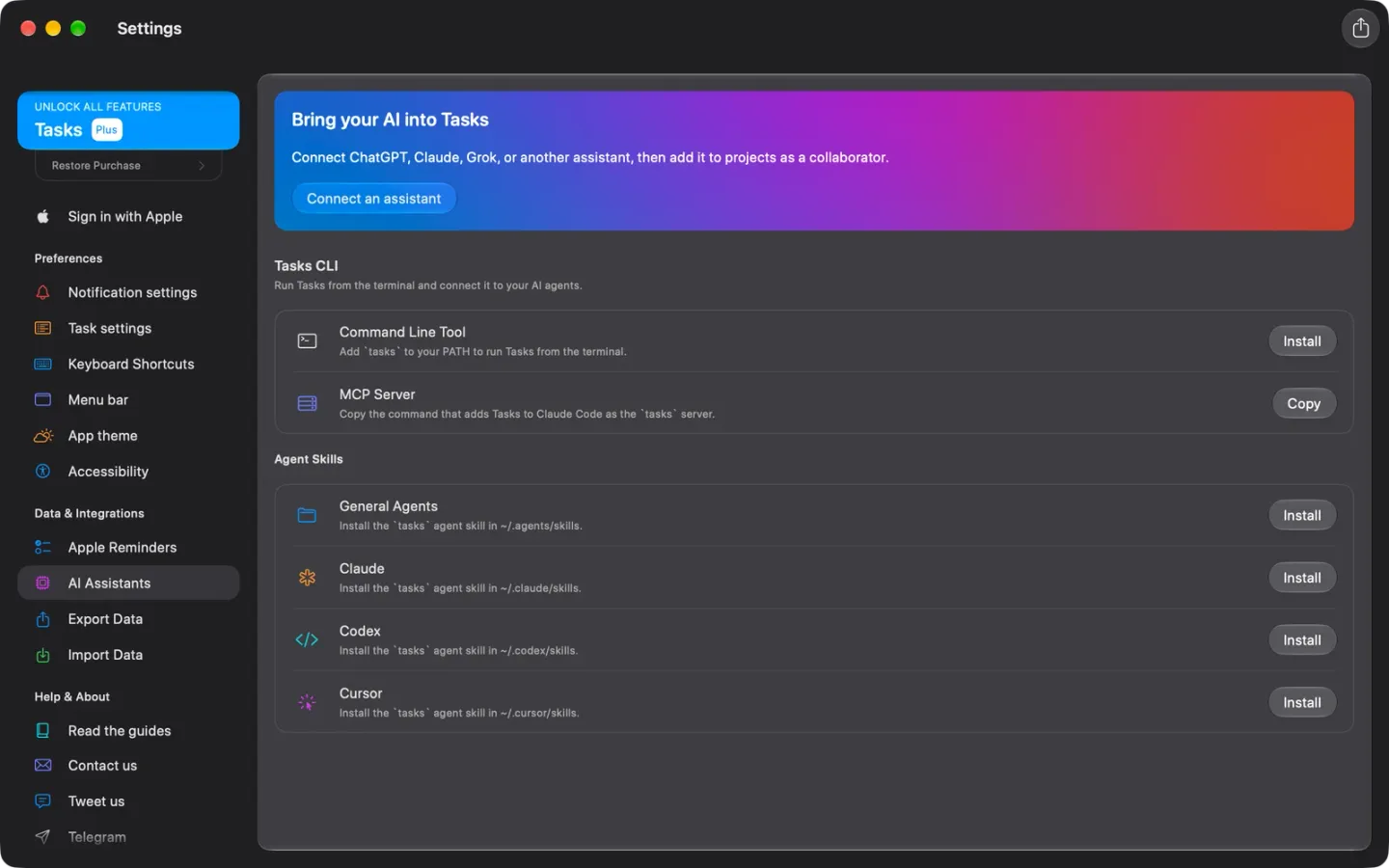
- The Tasks CLI. The Mac app now comes with its own command line tool. Open Settings, then AI Assistants, and install
taskson your PATH, or as an agent skill for Claude, Codex, Cursor and other agents. It reaches every project on your Mac, and what it changes syncs, repeats and notifies as if you’d done it in the app. It comes with Tasks Plus. - A local MCP server.
tasks mcpruns one on your Mac, without going through the cloud, and Settings copies the command that adds it to Claude Code. AI assistants in Tasks. - Roles that mean something. In a shared project, editors work on tasks, admins can also change its fields and statuses, and only the owner can delete it. AI assistants follow the same rules, and when something isn’t allowed, Tasks tells you why. Work together.
- The whole Mac app from the keyboard. Tab, the arrow keys, Return and Space now reach the sidebar, boards, New Task, task details, Settings and every sheet, whatever your Mac’s Keyboard navigation setting. They step aside for VoiceOver and Switch Control. Keyboard shortcuts.
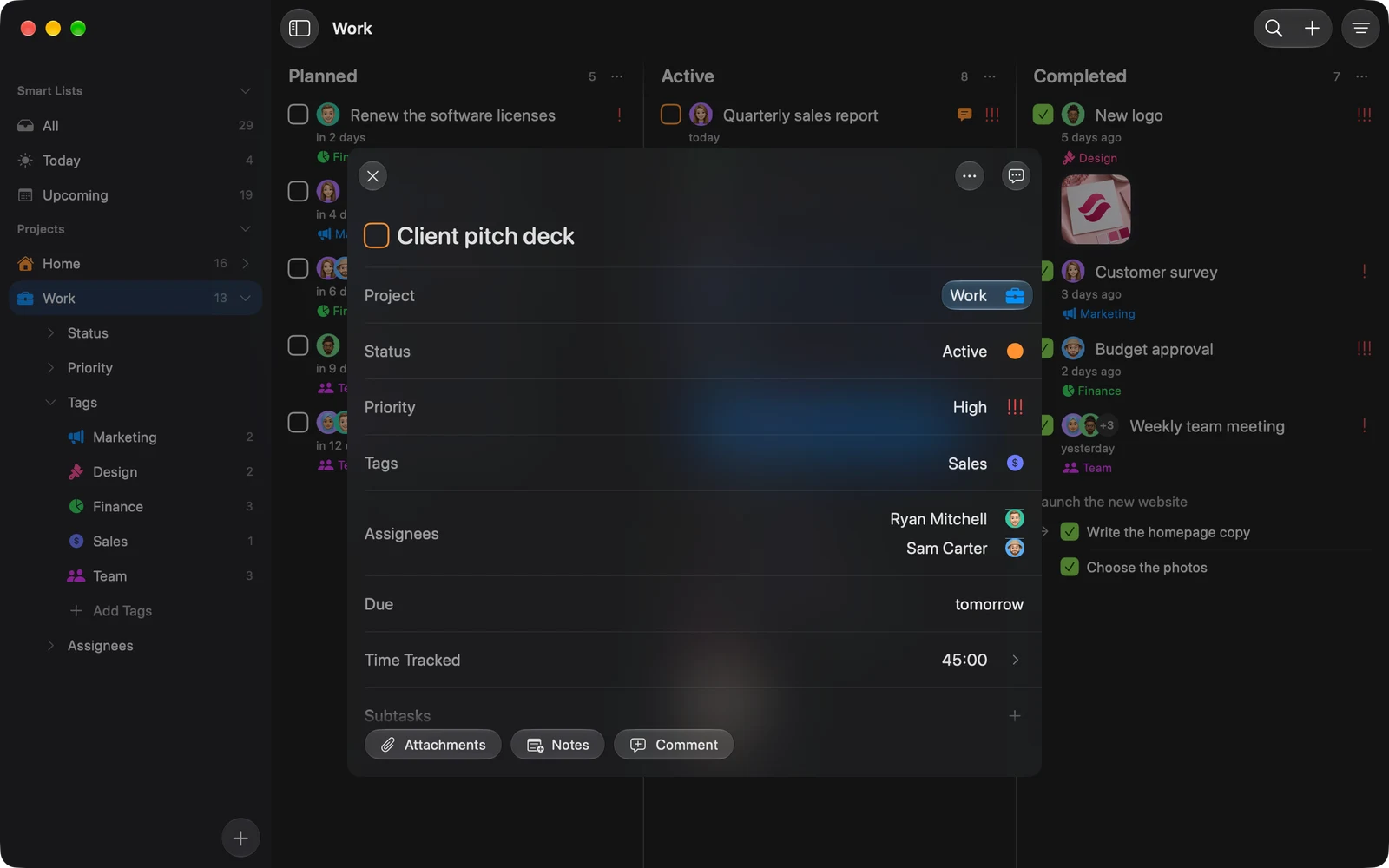
- Search from the keyboard. On the Mac, ↑ and ↓ highlight a result while you keep typing, and Return opens it.
- New Mac shortcuts. New Folder is ⇧⌘N, New Smart List is ⌃⌘N and Edit Filters is ⌥⌘F.
- More hand-drawn Paper. Paper pencils in selected rows, circles or boxes controls by hand and marks where the keyboard is in pencil.
- A quicker location picker. It opens on the place’s name, with search after it, and Return saves.
Fixes
- Joining a shared project brings over all of it, tasks, fields and tags, not just its name, and the invite screen ticks off each part as it arrives. Joining can’t leave you with two copies of it.
- Tapping a thetasks.app invite link opens the invite, whether Tasks was open or not.
- A delivered reminder for a repeat you’ve already moved past is removed, and can’t complete the next one.
- The Apple Watch welcome and get started screens are back.
- The location picker on iPad no longer opens the keyboard.
- Moving between text fields keeps the caret.